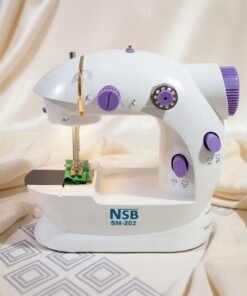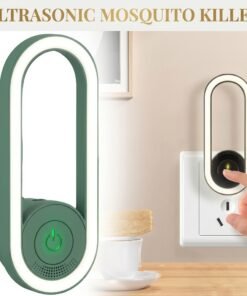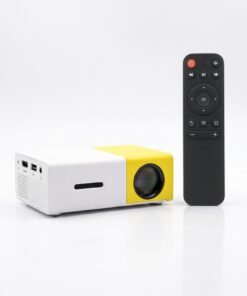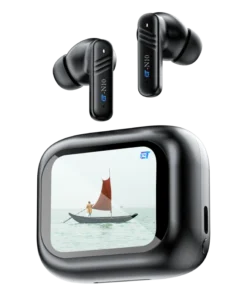
Explore practical gadgets at MRL Bazaar for listening, desk lighting, compact entertainment and small home projects. This collection currently brings together wireless earbuds, an LED desk lamp, a mini projector, a portable sewing machine and a mosquito-control device. Each product card links to its own photographs, description and ordering details.
Choose a gadget for the task you want to do
Begin with the purpose of your purchase. For daily audio, browse wireless earbuds and compare connectivity, fit and charging details. For a reading or study setup, explore LED desk lighting and check the controls and available space on your table.
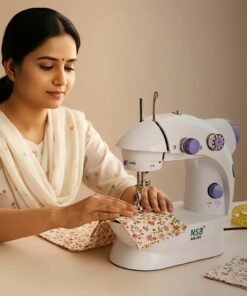
Our mini projector collection is a starting point for compact viewing equipment. Review the listed inputs, power requirements and model specifications before choosing a device. For fabric repairs or simple home projects, check the mini sewing machine listing for material suitability and operating guidance.
Compare the product’s stated features with the equipment you already own. Confirm any missing compatibility or accessory information with our team, and use the individual product page for the current price and availability.
Start with the task you want a gadget to solve
The Gadgets collection includes wireless earbuds, a desk light, a mini projector, a portable sewing machine and a mosquito-control device in the current listings. These products serve different purposes, so start with the task you actually want help with. A useful purchase fits the equipment, space and routine you already have. Open the relevant product page to compare its stated specifications with that task.
For listening and calls, review the Earbuds category and the ET-N10 model’s connection and charging information. For a study or reading table, compare the listed desk light with the space and power available. If you are planning a compact viewing setup, examine the mini projector’s inputs and native display details. A sewing project needs a separate check of permitted fabrics, setup guidance and included accessories.
Compare compatibility before extra features
Write down the device, connection or material that the product will need to work with. This might be a phone, laptop, charging cable, table space or type of fabric. Compare that requirement with the individual listing, and request clarification when a key detail is missing. A feature-rich title is less useful than confirmation that the exact product meets the basic requirement of your setup.
Keep different specifications separate while comparing. Battery capacity is not the same as listening duration. Supported video formats are not necessarily the projector’s native resolution. A wireless charging feature does not establish compatibility with every phone. The presence of lighting on a household device does not demonstrate another function’s performance. Each question should be answered through the model-specific information, rather than by making an assumption across the collection.
Check what comes with your purchase
Review the written package contents for each item. A photograph can illustrate a way to use the product without confirming that every cable, adapter or accessory shown is included. If a separately required part affects your budget or setup, identify it before ordering. Contact our team with the product link and your planned connection so that the enquiry relates to the correct model and accessory.
Check the power requirements and the instructions for first-time setup. Choose a stable place for powered equipment and follow the manufacturer’s guidance on ventilation, moisture and cleaning. Keep the operating information available after delivery. For equipment with moving parts or specialised controls, read the relevant instructions before use rather than following a setup method written for a different model.
Use the collection to make a clear comparison
The category links below help you narrow the range by purpose. Product cards take you to the detailed page, where the current price, stock and available options are shown. If an item has a colour or other option, make the selection on that page before adding it to your cart. Review the selected item and quantity in the cart before continuing to checkout.
If you are comparing two products, focus on a small set of requirements that matter to you: intended task, compatibility, usable space, package contents and operating needs. List any unanswered questions and ask them together, including the relevant product links. This gives our team enough context to review the enquiry and helps you avoid choosing only by price, a promotional picture or a broad category label.
Gadget shopping questions
Are all products in this category suitable for the same room or device? No single compatibility rule applies to the whole collection; use each model’s specifications. Can I ask a question before placing an order? Yes, use the contact page and include the product name or link. Where can I check an existing purchase? Visit Track Your Order with the order details from your confirmation.
What if an important specification is not listed? Ask for that information before relying on it. What should I check for a gift? Confirm the recipient’s device, available space or intended task, then check the exact package contents and colour option. The most useful choice is a gadget whose stated features fit a clear need and whose setup you can plan from the available information.
Gadgets Product
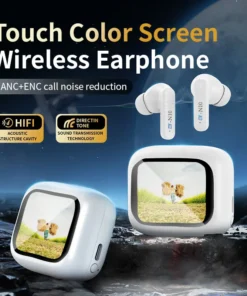
ET-N10 ANC Wireless Earbuds with Digital Display – Bluetooth 5.4 Noise Cancelling Earbuds
Gadgets Product